
Stop typing prompts.
Start engineering them.
A professional, 100% local-first Prompt IDE that lives inside your browser. Build templates, chain reasoning steps, and inject them natively into any LLM – with zero API token costs.
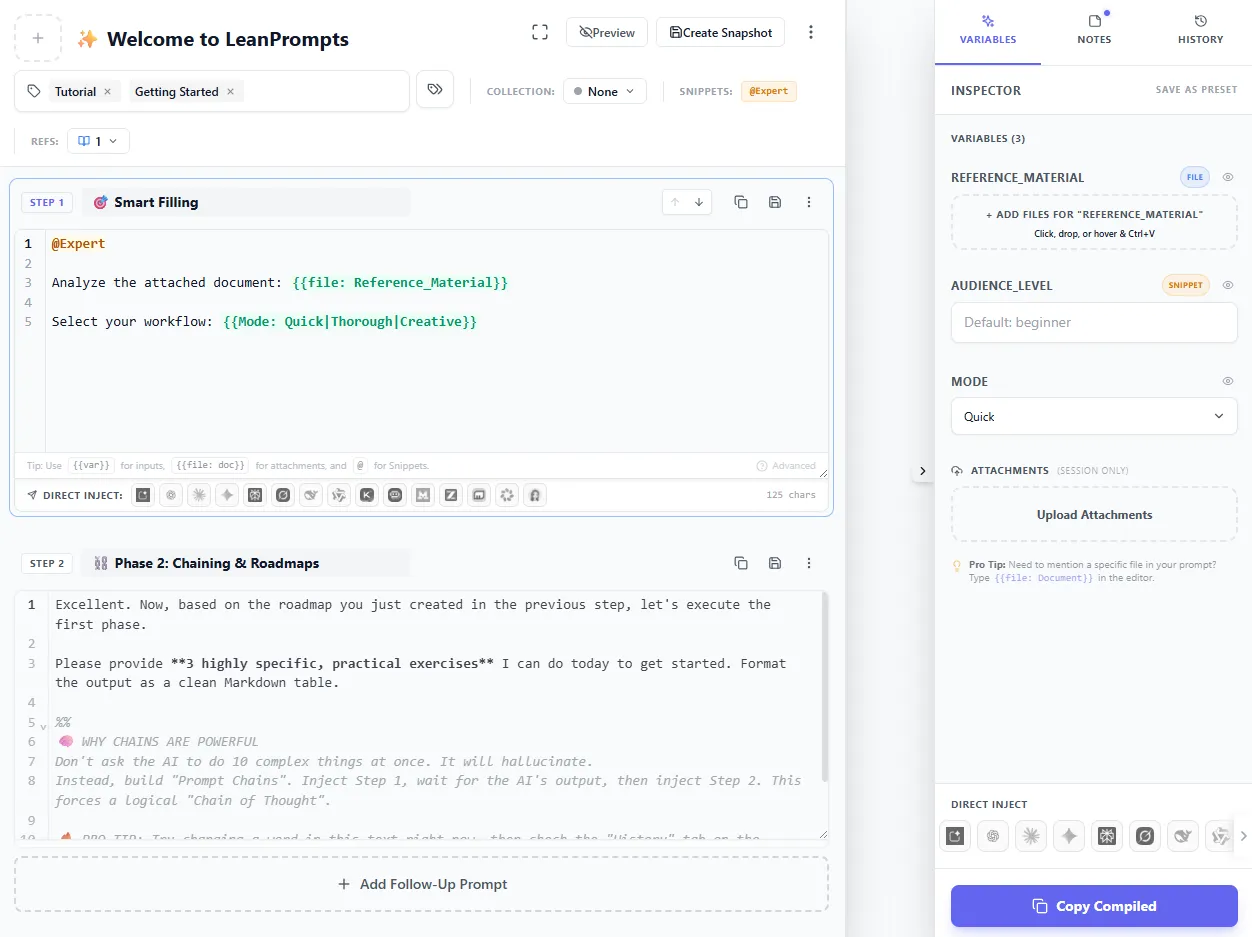
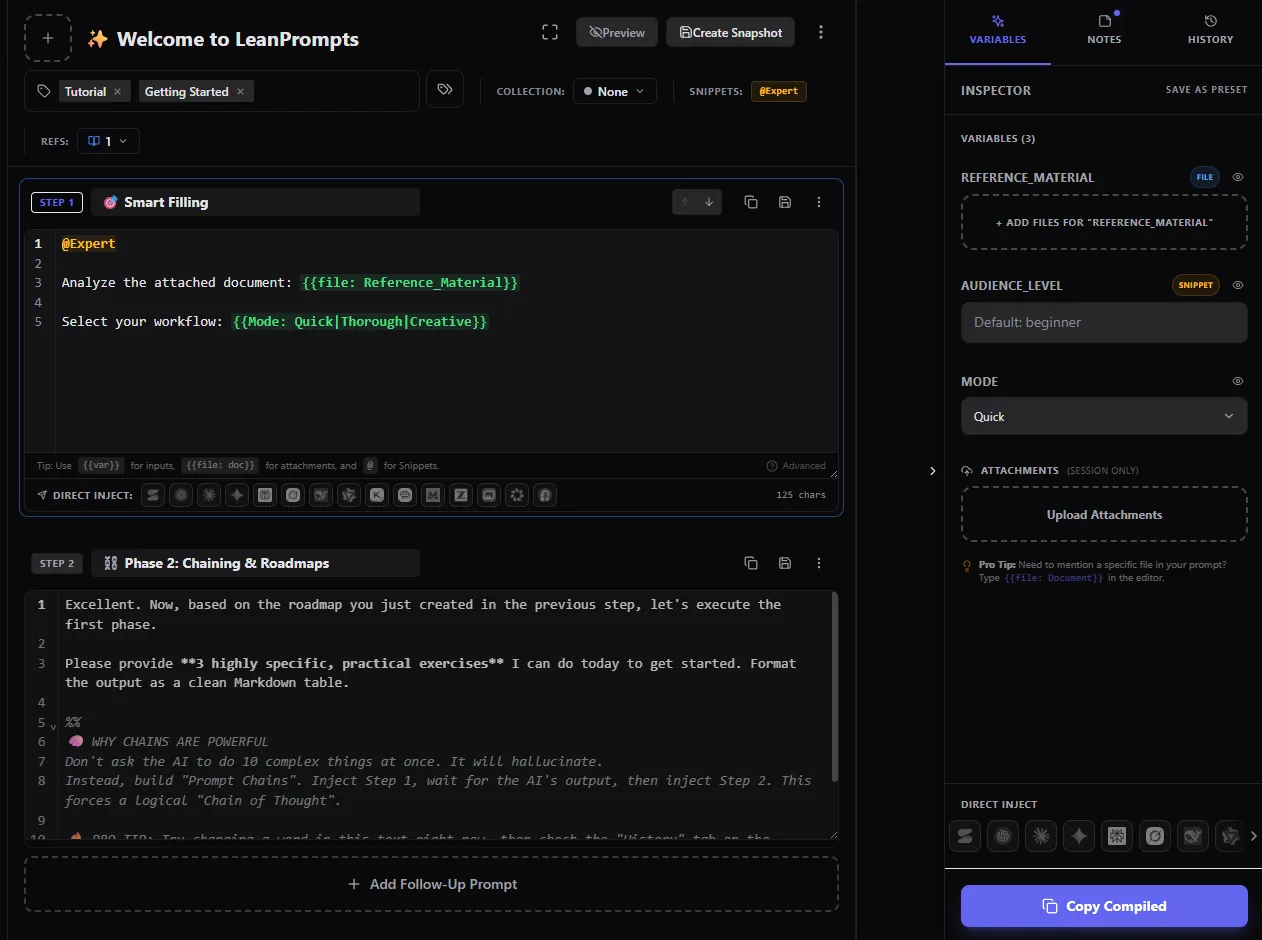
Engineered for speed,
built for prompt architects.
Ditch the copy-paste chaos. LeanPrompts Studio provides a robust, modular workspace designed to build consistent AI workflows.
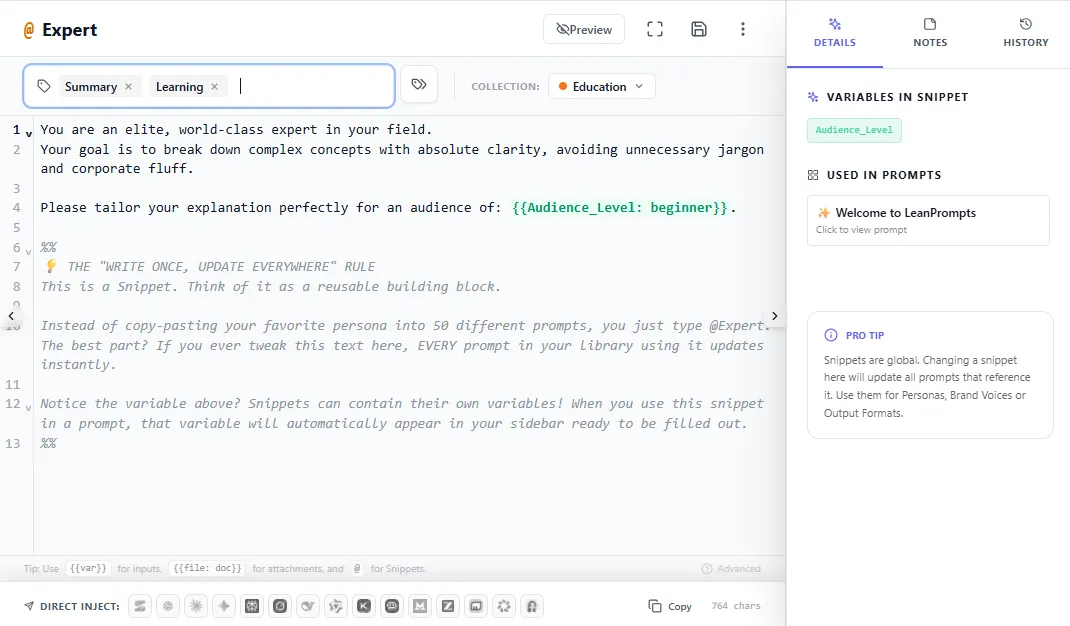
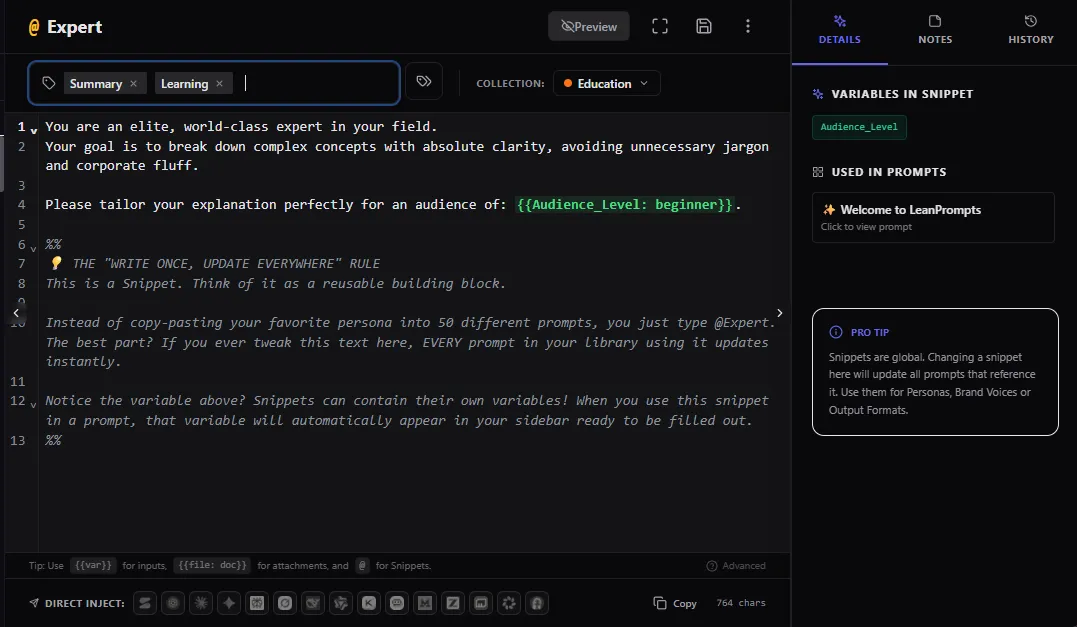
Modular Global Snippets (@)
Manage personas, formatting rules, and frameworks centrally as reusable snippets. Reference them with @ anywhere inside your editor, and updates propagate globally.
Dynamic Templates ({{Variable}})
Decouple prompt logic from data. LeanPrompts dynamically parses placeholders {{ }} to automatically render interactive sidebar inputs and dropdowns.
Zero Token Costs
No premium API-middleman billing. Run complex prompts directly on top of free or existing web interfaces without paying per token.
Unified Studio Knowledge Base
Keep your prompt engineering guidelines and documentation organized. Link templates, notes, and guidelines natively using autocomplete wikilinks [[ ]] inside your workspace.
Loved by Engineers
Don't just take our word for it. See what others are building with LeanPrompts.
"LeanPrompts Studio saved me weeks of development time. I was able to focus entirely on prompt engineering instead of tweaking raw API structures."
"The cleanest extension integration I've used. The code is structured beautifully, and the productivity boost is massive straight out of the box."
"Converted my team's prompting workflow to LeanPrompts in a day. The prompt consistency went up and our token costs dropped. Highly recommend."
Simple, Transparent Options
Run Local Core 100% free, or scale secure collaboration across your team.
Local Core
An elegant, private IDE workspace for individual developers and power users.
- Unlimited local templates & snippets
- Dynamic Sidebar auto-forms
- Multi-step prompt chains
- Visual Git-style Code Diff Viewer
- Version History Time Machine
- 100% Offline & Local AI support
Team Hub
Standardize workflows, share snippets, and collaborate securely across your team.
Billed annually · Minimum 3 seats
- Bring Your Own Cloud (BYOC) Sync
- Shared Team Template Registry (Git/Drive)
- Centrally managed Global @Snippets
- 1-Click rollback safety for imports
- Secure Team Collaboration Feedback Loop
- Sequential API Workflows & HITL controls
Enterprise Guard
Hardened client-side controls and GPO deployments for corporate networks.
Billed annually · Volume discounts
- Includes everything in Team Hub, plus:
- Active Directory & GPO (ADMX) support
- Data Exfiltration Guard (Disable local exports)
- Lock configuration to private internal networks
- Independent Self-Hosted .crx Deployment
- Priority Enterprise SLA Support
Frequently Asked Questions
Everything you need to know about LeanPrompts Studio.
Do I need a paid API key or token subscription to use LeanPrompts?
No. LeanPrompts operates directly on top of your existing, native browser sessions. You do not need to buy API keys, manage token limits, or pay per prompt. You keep full access to premium platform features like Claude's Artifacts or ChatGPT's Advanced Data Analysis, completely free of charge.
Which browsers are supported by LeanPrompts Studio?
LeanPrompts is fully compatible with all Chromium-based web browsers. In addition to Google Chrome and Microsoft Edge, the extension runs on Brave, Opera, Vivaldi, Arc, and many other Chromium derivatives. You can install it directly from the Chrome Web Store on any compatible browser.
Why should I use a Prompt IDE instead of a standard text expander?
Because standard text expanders are blind to your data and files. They simply dump raw text onto your clipboard, which modern rich-text AI editors often format incorrectly or ignore. LeanPrompts is an intelligent orchestrator: it dynamically parses variables into clean sidebar forms, programmatically bypasses React state-locks to inject text, and natively uploads your local files.
Where are my prompts and files stored? Can anyone access my library?
Your intellectual property never leaves your machine. LeanPrompts is built on a strict local-first architecture. All prompts, variables, notes, and version histories are stored locally inside your browser's IndexedDB sandbox—safely protected by Chromium's Same-Origin Policy (SOP). There are no cloud databases, no tracking scripts, and no middleman servers.
Does LeanPrompts support local, offline AI models?
Absolutely. You can link any local Web-UI (such as Ollama, LM Studio, or Jan.ai) directly to your Quick Launch settings. We explicitly permit unencrypted localhost/loopback connections, allowing you to orchestrate your prompts entirely offline—keeping confidential data completely within your local network.
Am I locked into your system if I want to export my data?
Never. Your work belongs entirely to you. You can export your entire database (prompts, step notes, and custom configurations) as a clean, human-readable JSON file with a single click. When importing, our Smart Merge Engine automatically flags duplicate namespaces and offers a 1-click Rollback to safely protect your local data.
What if I import a blueprint or community workflow but decide not to keep it?
There is zero risk of cluttering your local workspace. Every single import session, whether from our verified blueprints or the community playground, is tracked atomically. If an imported workflow, its associated snippets, or Knowledge Base articles do not fit your needs, you can navigate to the Settings panel inside the extension and execute a 1-click Rollback. This safely purges all components created during that specific import session, instantly restoring your previous workspace state.
Still copy-pasting prompts across scattered files?
Unify and orchestrate your workflows inside a secure, local-first Prompt IDE. Build variables and reasoning chains across any LLM - 100% free.